
One free anonymous statement — up to 10 pages
Bank Statement Converter for
clean, review-ready Excel and CSV.
Convert PDF bank statements to clean Excel and CSV with built-in review for accountants, bookkeepers, and tax professionals.
Sensitive financial documents handled with care.
Drag and drop your PDF here
Choose one digital PDF of up to 10 pages for the anonymous trial
First 10 bookkeeping firms
Bring one difficult digital statement. We will diagnose the layout with you.
Qualified firms can send one redacted digital statement of up to 10 pages. We will reply with an initial diagnosis and feasibility assessment within 48 business hours; the first 10 firms that keep Starter receive one digital-text layout diagnosis per month.
Why PDF bank statements slow down accounting workflows
Manual entry from PDF bank statements is slow, error-prone, and hard to scale. For accountants, bookkeepers, and tax professionals, messy statements often mean extra cleanup work before anything can be reviewed, reconciled, or exported.
Manual cleanup takes hours
Stop fighting with copy-paste and formatting issues. We do the heavy lifting automatically.
Basic tools break on real statements
Messy tables, multi-page layouts, and different bank formats are no match for our industrial parser.
Scanned PDFs still need extra care
OCR-heavy scans are not the strongest path in the current version. High-quality digital PDFs are more reliable today.
You still need to review everything
Generic converters hide errors. Our dedicated UI flags them for your final, rapid approval.
Upload, review, export
Upload your PDF
Try one digital statement up to 10 pages anonymously. Sign in when you need multiple files.
Review flagged rows
Our AI highlights uncertain data points. Quickly verify dates and amounts before the final export.
Export clean spreadsheet data
Download cleaner Excel or CSV files for review, spreadsheet cleanup, and downstream finance workflows.
| Date | Description | Amount | Status |
|---|---|---|---|
| Oct 12, 2023 | STRIPE PAYOUT #2394 | +$2,450.00 | |
| Oct 14, 2023 | AMZN MKTP US*8A... | -$142.99 | |
| Oct 15, 2023 | ADOBE * SUBSCRIPTION | -$52.99 | |
| Oct 16, 2023 | STARBUCKS #4421 | -$4.75 |
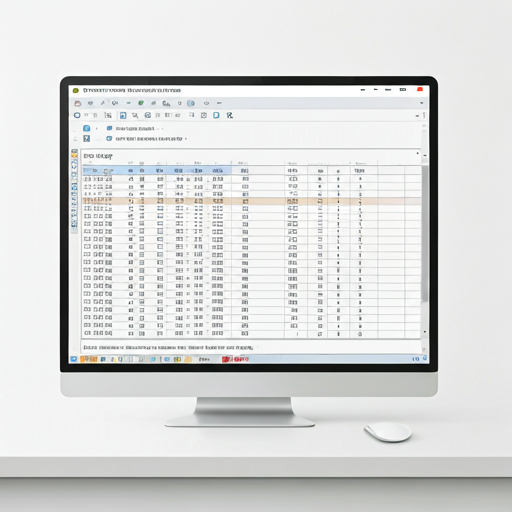
Built for accountants, bookkeepers, and tax professionals
StmtPilot is designed for teams that regularly receive PDF bank statements from clients and need structured, review-ready output without hours of spreadsheet cleanup.
Standardized Formats
Produce more consistent, reviewable output across the digital statement layouts the current parser covers well.
Rapid Reconciliation
Go from messy PDF to reconciled books in a fraction of the time.
PDF bank statement to Excel or CSV, with review before export
StmtPilot helps accounting teams convert PDF bank statements into cleaner spreadsheet exports for Excel, CSV, and downstream bookkeeping workflows. Instead of a black-box PDF-to-spreadsheet download, the workflow keeps uncertain rows visible for review before export.
That makes it a better fit for reconciliation, client cleanup work, and month-end close than generic PDF converters that focus only on raw extraction.
High-intent format pages
Workflow-intent pages
Educational guides
Verified bank pages
Wells Fargo Bank Statement Converter
A narrow Wells page that now summarizes the three supported Wells evidence rows, not a broad promise for every Wells layout.
Wells Fargo IOLTA Business Checking Converter
A narrow page built from the newly supported Wells IOLTA row.
Wells Fargo Simple Business Checking Converter
A narrower page built from the newly supported Simple Business Checking row.
Cathay Bank Statement Converter
A narrow bank page built only on the current supported Cathay standard digital row.
Chase Total Checking Statement Converter
A narrow page backed by 95 fully reviewed rows across two statement periods.
Capital One Small Business Checking Converter
Two narrow layouts backed by 491 fully reviewed rows across five statement periods.
U.S. Bank Business Edge Checking Converter
A narrow page backed by two complete single-page, one-transaction scanned statements.
Citizens Business Checking Statement Converter
A high-volume digital-PDF layout backed by 2,489 reviewed rows across two complete periods.
PNC Bank Statement Converter
A multi-column check layout backed by 227 reviewed rows across two complete periods.
Designed for sensitive financial documents
Financial statements require more care than generic file conversion. StmtPilot is built with privacy-aware handling for document workflows that involve sensitive data.
Encrypted file handling
Uploads are encrypted in transit and at rest, with short retention windows to reduce exposure.
Automatic deletion policy
Statements are automatically deleted after processing. We don't keep your data longer than necessary.
Privacy-first workflow
We never sell your data or use your financial records for model training or marketing.
If your bank layout is not covered well yet, send us a redacted sample
This path is for parser coverage intake, not sales. We prefer redacted PDF statements that keep page order and transaction structure intact.
Bank Statement Converter FAQ
How accurate is the PDF to Excel conversion?
Does it work with scanned PDF statements?
Which banks do you support?
Can I export directly to QuickBooks or Xero?
Is my data secure?
Is there a limit on file size?
Can I process multi-page statements?
Convert your next bank statement in minutes
Skip manual entry and export clean, review-ready spreadsheet data from PDF bank statements.